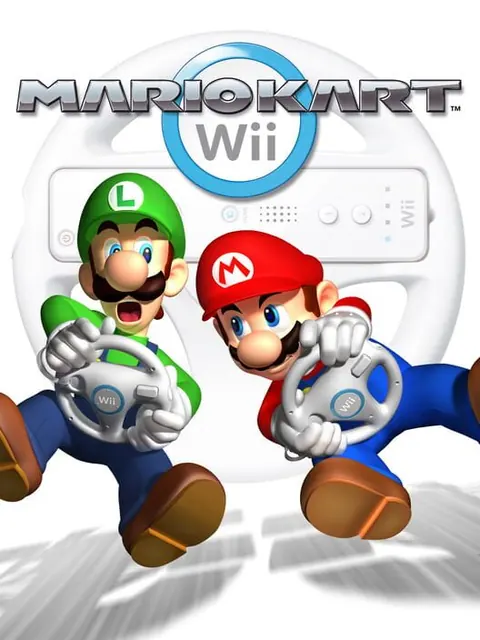
Download
Windows

WiiCompiled
v0.9.5 ·
Playable Recomp
You need: Unmodified European, US or Japanese Mario Kart Wii disc image (RMCP01, RMCE01 or RMCJ01).

0.2.47 ·
Playable Recomp
You need: European Mario Kart Wii disc image (RMCP01) for immersive VR. US and Japanese discs use flat-screen races.
Linux
WiiCompiled
v0.9.5 ·
Playable Recomp
You need: Unmodified European, US or Japanese Mario Kart Wii disc image (RMCP01, RMCE01 or RMCJ01).
macOS
WiiCompiled
v0.9.5 ·
Playable Recomp
You need: Unmodified European, US or Japanese Mario Kart Wii disc image (RMCP01, RMCE01 or RMCJ01).

KartPad
macOS: source build onlyLatest project release: v0.8.12 ·
You need: PAL Wii release (RMCP01, Rev 0).
Supported systems
| Project | Ready-made download | System notes & source builds |
|---|---|---|
| WiiCompiled | Windows (Wheel Wizard EXE), Linux (Wheel Wizard x64 or ARM64 executable), macOS (WiiCompiled Setup PKG) | On Windows and Linux, follow the WiiCompiled README to install and launch through Wheel Wizard. On Mac, WiiCompiled Setup builds the app locally. |
| KartPad | None | macOS: Apple Silicon source build only, using the PadMint tool. |
| WiiCompiled OpenXR VR | Windows (setup EXE) | The Windows build uses an OpenXR runtime for headset play. |
Linux launch commands
WiiCompiled via Wheel Wizard (x86-64 Linux)
From the folder containing the Linux Wheel Wizard download, run:
chmod +x WheelWizard_Linux
./WheelWizard_Linux
WiiCompiled via Wheel Wizard (ARM64 Linux)
chmod +x WheelWizard_arm64_Linux
./WheelWizard_arm64_Linux
Required game version
WiiCompiled
- Copy: Unmodified European (RMCP01), US (RMCE01) or Japanese (RMCJ01) Mario Kart Wii.
- Format: ISO, GCM, GCZ, CISO, WBFS, WIA or RVZ.
KartPad
- Copy: European Mario Kart Wii (RMCP01, revision 0).
WiiCompiled OpenXR VR
- Copy: European Mario Kart Wii (RMCP01) for immersive racing. The US and Japanese editions use a flat virtual screen during races.
Getting started
- Prepare the unmodified Mario Kart Wii image from one of WiiCompiled's three supported regions.
- On Windows or Linux, follow WiiCompiled’s Installing instructions to get Wheel Wizard. Run
WheelWizardWindows.exeon Windows or launch the Linux program for your processor. On Mac, openWiiCompiled-Setup.pkgfrom the latest WiiCompiled release. - In Wheel Wizard's Settings, select the disc image and enable WiiCompiled (beta). Press Install on Home, then launch from Wheel Wizard when it finishes.
- On Mac, open WiiCompiled Setup in Applications, select your disc image and choose the base game. If prompted, install Apple Command Line Tools, then reopen WiiCompiled Setup. When Setup finishes building and installing, open WiiCompiled in Applications.
About this port
Press F10 in WiiCompiled to change resolution, remap buttons or import a Dolphin GCPadNew.ini file. WiiCompiled also offers experimental frame interpolation beyond the original 60 fps.
KartPad uses WiiCompiled's translated game code and its own Metal interface. To update on Mac, build the newer app with PadMint and replace it in Applications. The OpenXR fork adds a kart cockpit, tracked hand steering and a virtual screen for menus. Its F10 → VR panel explains any fallback to desktop rendering.
System requirements
WiiCompiled
- OS: 64-bit Windows 10 or 11. On Mac, macOS 12 or newer, and either Apple Silicon or an Intel CPU supporting x86-64-v3.
- Graphics: GTX 1650, RX 6400, Arc A310 or better. Mac needs a Metal-capable GPU and Apple's Xcode Command Line Tools.
- Processor: Core i5-8400, Ryzen 5 2600 or better.
- Storage: About 20 GB free for setup and about 5 GB after installation.
KartPad
- OS: macOS 14 or newer.
- Processor & graphics: Apple M1 or newer, using Metal.
Save locations
~ is your home folder.
KartPad
- macOS:
~/Library/Application Support/KartPad/holds settings and original-game saves.
Mods
WiiCompiled
Supply the Retro Rewind files separately. WiiCompiled builds a separate program for that profile. In the Mac setup tool, select the RetroRewind6 folder or its parent when installing Retro Rewind.
KartPad
KartPad has a Retro Rewind profile and can keep that profile's saves separate from the original game.
Known issues
Crackling audio during races or menu clicks
The WiiCompiled audio update removed race-music crackling for several reporters. If menu clicks persist on Windows, report your build and attach the run log from %LOCALAPPDATA%\WiiCompiled\Logs.
RetroWFC could crash when connecting with an imported save
The project fixed the Wii certificate issue in 0.2.34. Update WiiCompiled before retrying and attach fresh logs if the crash recurs.
Video
FAQ
Can I play Mario Kart Wii on Windows, Linux or macOS?
Yes. Windows: WiiCompiled, WiiCompiled OpenXR VR. Linux: WiiCompiled. macOS: WiiCompiled.
Source build only on macOS: KartPad (source build only).
Which game version do I need for Mario Kart Wii?
- WiiCompiled: Unmodified European, US or Japanese Mario Kart Wii disc image (RMCP01, RMCE01 or RMCJ01).
- KartPad: PAL Wii release (RMCP01, Rev 0).
- WiiCompiled OpenXR VR: European Mario Kart Wii disc image (RMCP01) for immersive VR. US and Japanese discs use flat-screen races.
Which Mario Kart Wii PC port should I use?
Use WiiCompiled. WiiCompiled accepts three disc regions and has a guided installer. Choose the OpenXR fork for headset play with a European disc.
WiiCompiled OpenXR VR: Playable on Windows.
Source build only on macOS: KartPad (source build only).
What is the development status of the Mario Kart Wii PC ports?
WiiCompiled: Playable. Latest project release: v0.9.5, 2026-11-23. KartPad: Source build only. Latest project release: v0.8.12, 2026-11-20. WiiCompiled OpenXR VR: Playable. Latest project release: 0.2.47, 2026-11-14.
Can I connect four controllers for local Mario Kart Wii races?
Yes. WiiCompiled lets you assign a different controller to each player port. It also supports Nintendo's Wii U and Switch GameCube controller adapter (WUP-028).
Update history
| Project | Latest version | Release date |
|---|---|---|
| WiiCompiled | v0.9.5 | |
| KartPad | v0.8.12 | |
| WiiCompiled OpenXR VR | 0.2.47 |