Download
Windows

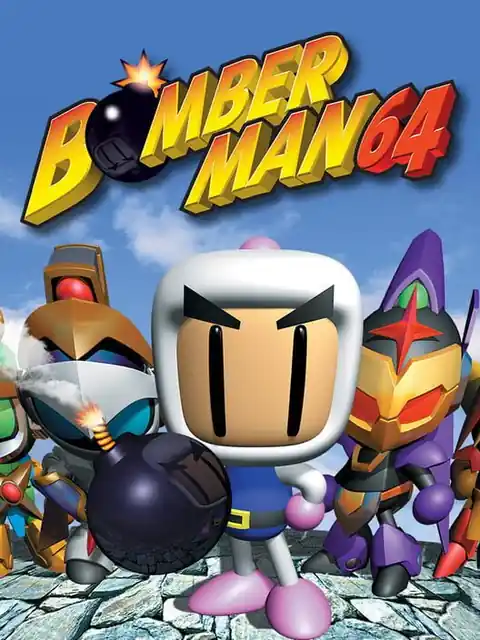
Bomberman 64: Recompiled
v1.0.0 ·
Playable Recomp
You need: North American Nintendo 64 Bomberman 64 (version 1.0).
Linux
Bomberman 64: Recompiled
v1.0.0 ·
Playable Recomp
You need: North American Nintendo 64 Bomberman 64 (version 1.0).
macOS
Bomberman 64: Recompiled
v1.0.0 ·
Playable Recomp
You need: North American Nintendo 64 Bomberman 64 (version 1.0).
Steam Deck
Bomberman 64: Recompiled
v1.0.0 ·
Playable Recomp
You need: North American Nintendo 64 Bomberman 64 (version 1.0).
Supported systems
- Windows: x64 player ZIP.
- Linux: x64 and ARM64 standalone archives or AppImages, plus an x64 Flatpak.
- macOS: Outer ZIP contains a second ZIP with the Mac app.
- Steam Deck: Use the standalone x64 Linux archive.
Linux launch commands
From the folder where you unpacked the Linux ZIP, extract the inner archive and launch BM64Recompiled.
tar -xzf BM64Recompiled.tar.gz
./BM64Recompiled
For the AppImage, extract it from its ZIP first.
chmod +x BM64Recompiled-*.AppImage
./BM64Recompiled-*.AppImage
For the x64 Flatpak, extract it from its ZIP first.
flatpak install --user ./io.github.bm64recomp.bm64recomp.flatpak
flatpak run --command=BM64Recompiled io.github.bm64recomp.bm64recomp
Required game version
- Copy: Your own North American Nintendo 64 Bomberman 64, version 1.0.
- Format: The launcher accepts
.z64and other N64 byte orders of that release.
Getting started
- Prepare your US version 1.0 Bomberman 64 data.
- Get your program from the latest Bomberman 64: Recompiled release. On Windows, extract the ZIP and open
BM64Recompiled.exe. On Mac, unpack both ZIPs and openBM64Recompiled.app. On Linux, use the ZIP and the matching commands above. On Steam Deck, extract the standalone x64 archive and runBM64Recompiled. - Choose Select ROM and pick your data. Once the launcher accepts it, choose Start game.
About this port
Bomberman 64: Recompiled uses RT64 rendering and code from the Bomberhackers decompilation for changes to the game.
The release notes list intermittent item-name corruption in Custom Bomberman and clipping during the credits. The credits clipping does not affect gameplay.
System requirements
- OS: macOS 13 or newer.
- Graphics: Direct3D 12 with Shader Model 6, Vulkan 1.2 or Metal with Argument Buffers Tier 2.
- Processor & memory: x86-64 needs SSE4.1. The Mac build supports Apple Silicon and compatible Intel Macs starting at 7th-generation Intel CPUs.
Save locations
%LOCALAPPDATA% is your Windows user’s local app data folder. ~ is your home directory.
- Windows:
%LOCALAPPDATA%\BM64Recompiled\saves\ - Linux & Steam Deck (including Flatpak):
~/.config/BM64Recompiled/saves/ - macOS:
~/Library/Application Support/BM64Recompiled/saves/
Mods
Install community-made Bomberman 64 mods or RT64 texture packs from Mods → Install Mods, or drag the mod files onto the launcher before starting. The Bomberman 64: Recompiled Mods section links to RT64's instructions for creating packs.
FAQ
Can I play Bomberman 64 on Windows, Linux, macOS or Steam Deck?
Yes. Windows: Bomberman 64: Recompiled. Linux: Bomberman 64: Recompiled. macOS: Bomberman 64: Recompiled. Steam Deck: Bomberman 64: Recompiled.
Which game version do I need for Bomberman 64?
- Bomberman 64: Recompiled: North American Nintendo 64 Bomberman 64 (version 1.0).
What is the development status of the Bomberman 64 PC port?
Bomberman 64: Recompiled: Playable. Latest project release: v1.0.0, 2026-03-22.
Can Bomberman 64: Recompiled run Bomberman 64: The Second Attack?
No. The main menu checks for the original Bomberman 64's North American version 1.0. The Second Attack is a separate game.
Update history
| Project | Latest version | Release date |
|---|---|---|
| Bomberman 64: Recompiled | v1.0.0 |