
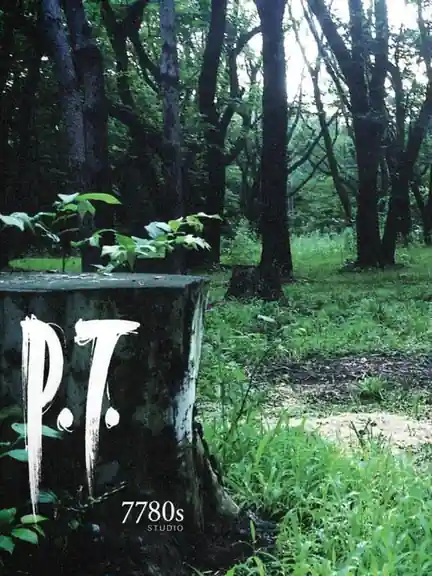
Can I Use P.T. for PC With My Game Data?
P.T. for PC uses its own engine—the software that runs the game—to recreate the original scenes and audio from your PS4 P.T. data. Choose it for playing from that original data on Windows, Linux, Steam Deck or Mac; the P.T. overview explains the project.
The project was developed and tested with the US edition, CUSA01127; its v1.0.8 release also confirms support for the European edition, CUSA01114. See P.T. game version compatibility for the data requirements.
Can My Computer Run P.T. for PC?
Windows 10 or 11 and Linux need 64-bit Intel/AMD processors and Vulkan 1.3, the port's graphics interface. For Mac, use an Apple chip and macOS 14 or later; see P.T. requirements for Linux system-library requirements and Mac compatibility.
Which P.T. for PC Download Should I Choose?
For Windows, choose the installer for installation-folder and shortcut options. The Linux installer provides an installation interface for Linux and Steam Deck; both use the same package.
| Your computer | Your copy of the game | Download |
|---|---|---|
| Windows PC | US CUSA01127 or European CUSA01114 | |
| Steam Deck & Linux | US CUSA01127 or European CUSA01114 | |
| Mac with Apple chip | US CUSA01127 or European CUSA01114 |
Skip GitHub’s two Source code archives for these packages.
Windows and Linux also have portable ZIPs—archives you unpack into a complete program folder. Choose one if you want to unpack the program yourself rather than use the installer.
On an Apple Silicon Mac, M1 or later, use the arm64 ZIP, built for Apple's processors. An Intel package exists, but the author has not run it on an Intel Mac; use a Mac with an Apple chip for the recommended setup.
What Comes With the P.T. Download?
The Windows and Linux installers contain the portable program and an installation interface. The program includes its graphics resources, fonts, speech-recognition model and supporting libraries—the extra software it uses to run. The Mac ZIP contains the app with its graphics and speech libraries bundled inside.
Should I Choose a Regular P.T. Release or a Test Build?
Choose the regular release marked Latest for everyday play because it includes startup, display and audio fixes, plus in-game updating for portable packages. The published releases are regular releases rather than test builds, and the program's update check skips prereleases, which are versions marked for testing.
Where Are the P.T. Downloads on GitHub?
The download buttons usually start the download straight away. If a button sends you to a GitHub release page instead, scroll past the release notes to Assets. If you see “Show all assets”, click it. Then click the file for your system and skip the two “Source code” entries.
P.T.PC.Port-macOS-arm64.zip← Mac with Apple chip / PS4 P.T.P.T.PC.Port-portable-linux.zipP.T.PC.Port-portable-windows.zipP.T.PC.Port.Setup-linux← Steam Deck & Linux / PS4 P.T.P.T.PC.Port.Setup.exe← Windows PC / PS4 P.T.Source code (zip)Source code (tar.gz)
How Can I Check My P.T. Download Is Complete?
Compare the downloaded file's SHA-256, a fingerprint calculated from its contents, with the value published for that attachment on the project's release page. The two values must match character for character.
Windows PC · US CUSA01127 or European CUSA01114
Get-FileHash -Algorithm SHA256 -LiteralPath '.\P.T.PC.Port.Setup.exe'Should match fedbf7e655d31c7942e22179bb7a5e0466a21264219f3554b8256f1678194a5c
Steam Deck & Linux · US CUSA01127 or European CUSA01114
sha256sum './P.T.PC.Port.Setup-linux'Should match 112a25d7500a9361808ea54bbace3e2c409a9e80e93f4d67318dad709adfd617
Mac with Apple chip · US CUSA01127 or European CUSA01114
shasum -a 256 './P.T.PC.Port-macOS-arm64.zip'Should match 860975d2ab7cfe853c16095bb88bd22c05181855ee926c5fda1322517fba971a
The Windows and Linux installers also check themselves at startup and check the bundled program files during installation.
Why Might My System Block the P.T. Download?
A player reported a Windows Defender warning on first launch; another reported one Trojan alert in a VirusTotal antivirus scan. The project's problem-reporting channel is Discord, linked from its repository.
The Mac app lacks Apple's notarization, its app security check, and a paid Developer ID signature. For a project release app you have chosen to trust, macOS offers Open Anyway after the first opening attempt. See P.T. troubleshooting for system-blocking problems.
What Does P.T. Need Before I Start It?
Does the P.T. Installer Need Administrator Access?
The Windows installer runs with your user account's permissions and does not request administrator access. Updating needs both the installation folder and its parent folder to be writable; a portable copy in a read-only location cannot update in-game.
Do I Need Extra P.T. Runtimes or a Microphone?
Windows and Linux need a working Vulkan 1.3 graphics driver, and Linux needs glibc 2.38 or later, a core system library. Mac includes MoltenVK, a bridge to Apple's Metal graphics system, and Apple Silicon has an app built for its processor.
The speech-recognition model and libraries are included. A microphone is used for the original voice sequence, but a keyboard or controller trigger can replace it. See P.T. controls for that option.
How Do I Install P.T. After Downloading?
With compatible original game data ready, follow the guide for Windows, Linux and Steam Deck or Mac. These cover running the installer or unpacking the app; Steam Deck uses the Linux package in desktop mode.
How Do I Get P.T. Updates or Older Versions?
P.T. checks for updates at startup: Windows and Linux update in-game after confirmation, while Mac notifications point to a replacement ZIP. Updates preserve game data, settings, saves and mods; follow the Windows, Linux / Steam Deck or Mac installation guide for the steps.
For an older version, open the project's release history and select its release; Mac packages and portable ZIPs begin with v1.0.2.
Is the P.T. for PC Download Free?
Yes. The public GitHub release attachments are free to download without a GitHub account.
Where Is the P.T. for PC Source Code?
The project's own code is MIT-licensed and available in the P.T. for PC repository. You can compile it—build a runnable program from that code—on Windows, Linux or Mac using the repository's platform-specific build instructions.