Download
Windows
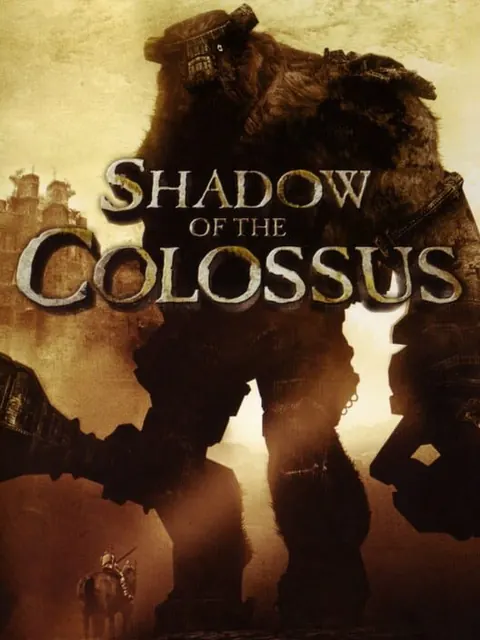
Shadow of the Colossus PC
v0.78 (Checked with v0.77) ·
Playable Hybrid
You need: PS4 Shadow of the Colossus remake, European 1.01 (CUSA08809) or US 1.00 (CUSA08034) game folder. PS4 audio modules are optional.
Linux
Shadow of the Colossus PC
v0.78 (Checked with v0.77) ·
Experimental Hybrid
You need: PS4 Shadow of the Colossus remake, European 1.01 (CUSA08809) or US 1.00 (CUSA08034) game folder. PS4 audio modules are optional.
Supported systems
| Project | Ready-made download | System notes & source builds |
|---|---|---|
| Shadow of the Colossus PC | Windows (ZIP), Linux (experimental AppImage) | The Linux release documents startup and intro rendering on AMD with Fedora. NVIDIA and Intel remain under testing. |
| Shadow of the Colossus PS3 Recompiled | None | The PS3 HD project reaches an empty window while work on rendering continues. |
| Celosia | None | The PS2 recompile has a source route targeting Apple Silicon Mac. |
Linux launch commands
Shadow of the Colossus PC experimental AppImage
chmod +x SotC-PC-linux-x86_64.AppImage
./SotC-PC-linux-x86_64.AppImage
The AppImage opens the launcher. The --play option opens the game using the launcher's current settings.
Required game version
Shadow of the Colossus PC
- Copy: European PS4 Shadow of the Colossus remake updated to 1.01 (CUSA08809), or US 1.00 (CUSA08034).
- Format: Game folder containing
eboot.bin,sce_module/andsce_sys/. - Updates & DLC: Use DLC from the same region as the base game.
Getting started
- Have the supported PS4 game folder ready.
- Unpack the Windows ZIP from the latest Shadow of the Colossus PC release and run
SotC.exe. On experimental Linux, start the AppImage. - On Game and saves, choose your supported PS4 game folder if the launcher has not found it.
- Choose PLAY in the launcher.
About this port
Shadow of the Colossus PC runs the PS4 remake’s game code with a translated graphics layer. Supported US and EU executables can use the PS4 Pro Performance mode and an adjustable render resolution. Separately, sp00nznet’s Shadow of the Colossus PS3 Recompiled targets the PS3 HD edition, and HenryKun55’s Celosia targets the US PS2 edition. The project reports that its Apple Silicon source build reaches New Game and riding Agro, with 60 fps at 1536×1344 on an M4 Pro.
System requirements
Shadow of the Colossus PC
- OS: 64-bit Windows 10 or 11. The experimental x86-64 Linux build needs glibc 2.38 or later.
- Graphics: Vulkan 1.3.
- Processor & memory: A CPU with AVX.
- Storage: Put the game folder on an SSD to reduce stalls entering new areas.
Save locations
~ is your home folder.
Shadow of the Colossus PC
- Windows:
user\savedata\1\<title ID>\beside the program. - Linux (experimental AppImage):
~/.local/share/sotc-pc/user/savedata/1/<title ID>/
Video
FAQ
Can I play Shadow of the Colossus on Windows?
Yes. Windows: Shadow of the Colossus PC.
Experimental on Linux: Shadow of the Colossus PC.
Which game version do I need for Shadow of the Colossus?
- Shadow of the Colossus PC: PS4 Shadow of the Colossus remake, European 1.01 (CUSA08809) or US 1.00 (CUSA08034) game folder. PS4 audio modules are optional.
What is the development status of the Shadow of the Colossus PC ports?
Shadow of the Colossus PC: Playable. Latest project release: v0.78, 2026-11-26. Shadow of the Colossus PS3 Recompiled: In development. Celosia: In development.
Do I need PS4 sound modules to hear Shadow of the Colossus PC?
No. Version 0.75 introduced the built-in sound mixer. Optional PS4 modules can still be used with a compatible game folder.
Update history
| Project | Latest version | Release date |
|---|---|---|
| Shadow of the Colossus PC | v0.78 |